
After more than fifteen years in this industry, one pattern has never changed: tools evolve, but the engineers who thrive are the ones who know why they are doing something, not just how.
AI is the latest—and most powerful—tool we’ve been given. Used well, it can dramatically accelerate learning and delivery. Used poorly, it quietly erodes judgment.
My goal in this post is to help you use AI intentionally, as a mentor and multiplier, not as a crutch.
AI Is Not Here to Replace Thinking—It Exposes the Gaps in It
AI does not magically make someone a good engineer. What it does is amplify what’s already there.
If your fundamentals are strong, AI helps you move faster and explore deeper.
If your fundamentals are weak, AI produces output that looks correct but collapses under scrutiny.
This is why so many teams are now hiring fewer engineers—but expecting more from them. Companies are comfortable paying for AI across the entire SDLC, but they still need humans who can:
- Frame the right problems
- Validate solutions
- Make trade-offs
- Take ownership when things go wrong
That responsibility does not disappear. It concentrates.
Using AI Step by Step Across the SDLC
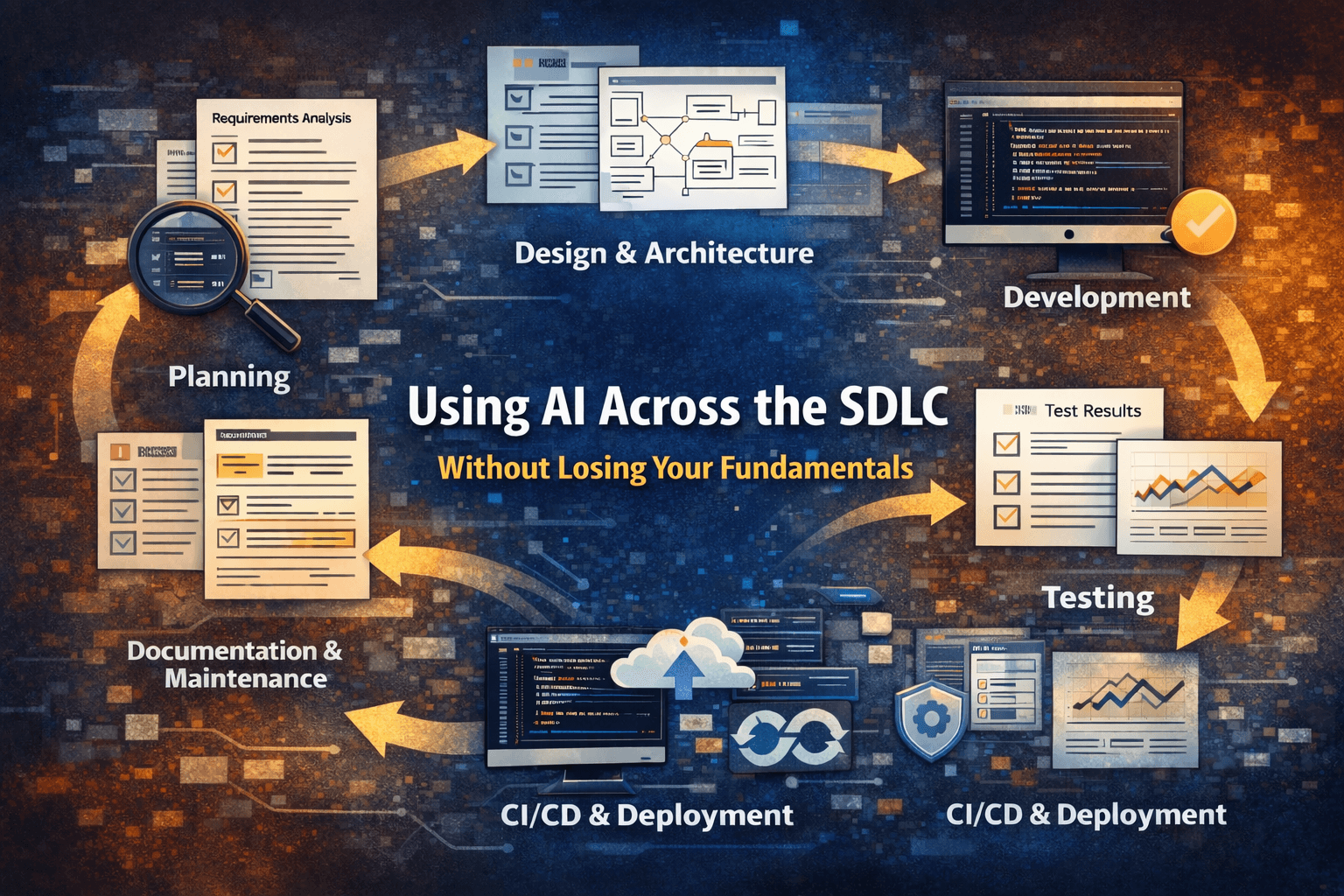
Let’s walk through how AI should fit into your workflow—from planning to maintenance—while actively improving your skills.
1. Planning & Requirements
AI is most valuable early, when ambiguity is high and mistakes are cheap.
At this stage, AI can help you:
- Challenge vague or overloaded requirements by asking the questions stakeholders didn’t
- Normalize terminology and surface hidden assumptions
- Rapidly sketch wireframes or low-fidelity prototypes
I now use AI at the start of every new feature or project. On a recent metrics initiative involving DORA metrics, the biggest value AI provided wasn’t speed—it was clarity. It helped me articulate what problem we were actually trying to solve before a single line of code was written.
The real shift for me was this: getting something usable in front of users as early as possible. An interactive prototype beats a perfect requirements document every time. Once users respond to something tangible, you can refine requirements into a proper FRS and extract real use cases or user stories grounded in behavior—not speculation.
AI doesn’t replace product thinking here. It sharpens it.
2. Design & Architecture
With validated requirements and early feedback, the design phase becomes focused instead of speculative.
AI can now assist in producing:
- End-to-end technical designs aligned with actual use cases
- Database designs and ER diagrams that reflect real access patterns
- Sequence and component diagrams that clarify responsibilities and data flow
- Security strategies covering authentication, authorization, encryption, roles, and scopes
- Observability plans defining metrics, traces, dashboards, and alerting thresholds
The key is that AI is reacting to decisions you’ve already made. Architecture is still about trade-offs: simplicity vs. flexibility, time-to-market vs. scalability, consistency vs. autonomy. AI can generate options, but you own the decision—and the consequences.
3. Development
In implementation, AI shines as an execution accelerator.
It’s particularly effective at:
- Generating boilerplate and scaffolding
- Refactoring small, well-bounded sections of code
- Explaining unfamiliar or legacy code paths
With a clear design in place, AI can also help define a solution structure guide for the repository: folder layout, layering rules, and dependency boundaries. It can assist in documenting coding standards, conventions, and patterns, as well as outlining configuration and secrets management practices.
What it should not do is replace your understanding of the codebase. If you can’t explain why a piece of code exists or how it fails, AI has moved from assistant to liability.
4. Testing (Unit, Integration, E2E)
Testing is where AI exposes whether you actually understand the system.
Yes, AI can generate tests quickly. But the real questions remain:
- Do the tests assert behavior or just mirror implementation details?
- Do they fail for meaningful reasons?
- Do they protect against regressions that matter?
AI is useful for deriving test cases from requirements and exploring edge conditions using a functional testing mindset. But test quality is still a design problem. If you struggle to evaluate whether a test adds confidence, that’s not a tooling issue—it’s a fundamentals gap in test design.
Good tests encode intent. AI can help write them, but it can’t supply that intent for you.
5. Performance & Reliability
AI can flag potential bottlenecks and failure modes, but production systems don’t fail in theory—they fail in context.
Deciding what actually matters requires:
- Systems thinking
- An understanding of load, latency, and failure domains
- Experience with real production incidents and trade-offs
AI accelerates exploration here by suggesting hypotheses and tuning strategies. It becomes dangerous only when engineers stop validating those suggestions against real telemetry and user impact. Curiosity and skepticism are still mandatory.
6. CI/CD & Deployment
Used correctly, AI can help enforce discipline rather than shortcuts.
It can assist in designing CI/CD pipelines that:
- Enforce guardrails on commits and merges
- Automatically run tests, linters, and security checks
- Detect violations early and generate actionable reports
This is less about automation for its own sake and more about protecting production. AI helps encode best practices into workflows, but the pipeline still reflects your engineering standards. If those standards are weak, automation just helps you fail faster.
7. Documentation & Maintenance
AI is particularly effective in long-lived systems.
It can:
- Draft and update documentation
- Summarize changes across releases
- Create onboarding guides for new engineers
But documentation is still an ownership signal. Clear docs reflect clear thinking about the system’s intent, constraints, and failure modes. AI can help with the words, but you’re responsible for the truth they convey—and for keeping them aligned with reality.
The Often-Ignored Part: Soft Skills
No AI model replaces:
- Critical thinking
- Emotional intelligence
- Communication
- Accountability
In fact, as AI handles more execution, these skills become more valuable—not less. Senior engineers are trusted not because they write the most code, but because they:
- Think clearly under pressure
- Communicate trade-offs
- Mentor others
- Take responsibility for outcomes
AI cannot do that for you.
The Reality You Shouldn’t Ignore
The industry is shifting. Many companies now:
- Hire experienced engineers who can leverage AI effectively
- Use AI across planning, development, testing, and maintenance
- Expect faster onboarding and higher autonomy
Developers who refuse to adapt won’t disappear overnight—but their options will narrow.
Learning to work with AI is no longer optional. Learning to think while using AI is the differentiator.
Take Ownership of Your Growth
If you’re serious about long-term growth, don’t rely on scattered tutorials or copy-paste prompts.
Invest in structured learning that helps you:
- Master an AI-driven SDLC workflow
- Learn unit testing in depth
- Strengthen clean code and refactoring skills
- Rebuild your data structures and fundamentals
- Prepare confidently for technical interviews
AI rewards engineers who are intentional, curious, and disciplined.
Use it to become better, not just faster.